
How to Develop and Publish a Vibe-Coded Flick Game on Remix (Step-by-Step Guide)
Disclosure: This article contains referral links for certain page links provided. I may be compensated for successful referrals. These referral links may contain additional rewards for you.
- Why I Tried Vibe-Coding on Remix
- What Is a Vibe-Coded Game?
- The First Game I Built
- Developing a Game on Remix: The 4 Core Stages
- Stage 1: Vibe Code
- Stage 2: Game Details
- Stage 3: Integration Checks
- Stage 4: Submit for Review
- Advice for Anyone Getting Into Vibe-Coded Game Development
- Should You Try Developing a Vibe-Coded Game on Remix?
Why I Tried Vibe-Coding on Remix
I’ve been experimenting with AI-assisted game development for a while now, mostly out of curiosity. Like many developers and creators, I wanted to see where the line really is between AI doing the work and humans still needing to think. When Remix announced an early-2026 game jam, it felt like the right excuse to finally ship something instead of just prototyping ideas.
This article documents my firsthand experience developing and publishing a vibe-coded game on Remix, from the first prompt to final approval. If you’re curious about AI game development, Remix as a platform, or whether vibe-coding is actually viable beyond toy demos, this guide should give you a grounded answer.
What Is a Vibe-Coded Game?
Vibe-coding is the process of building software or games primarily through natural language prompts, using AI models to generate and modify code. Instead of writing everything line by line, you describe the intent, feel, or mechanic. You go with the “vibe” and iterate from there.
On Remix, vibe-coding is built directly into the platform:
- You can use Remix’s in-house AI or external models
- Prompts are tightly scoped to game logic and SDK needs
- Generated code is fully editable (and often needs to be)
In practice, vibe-coding speeds up early development but doesn’t replace understanding how the game actually works. That distinction matters a lot later.
The First Game I Built
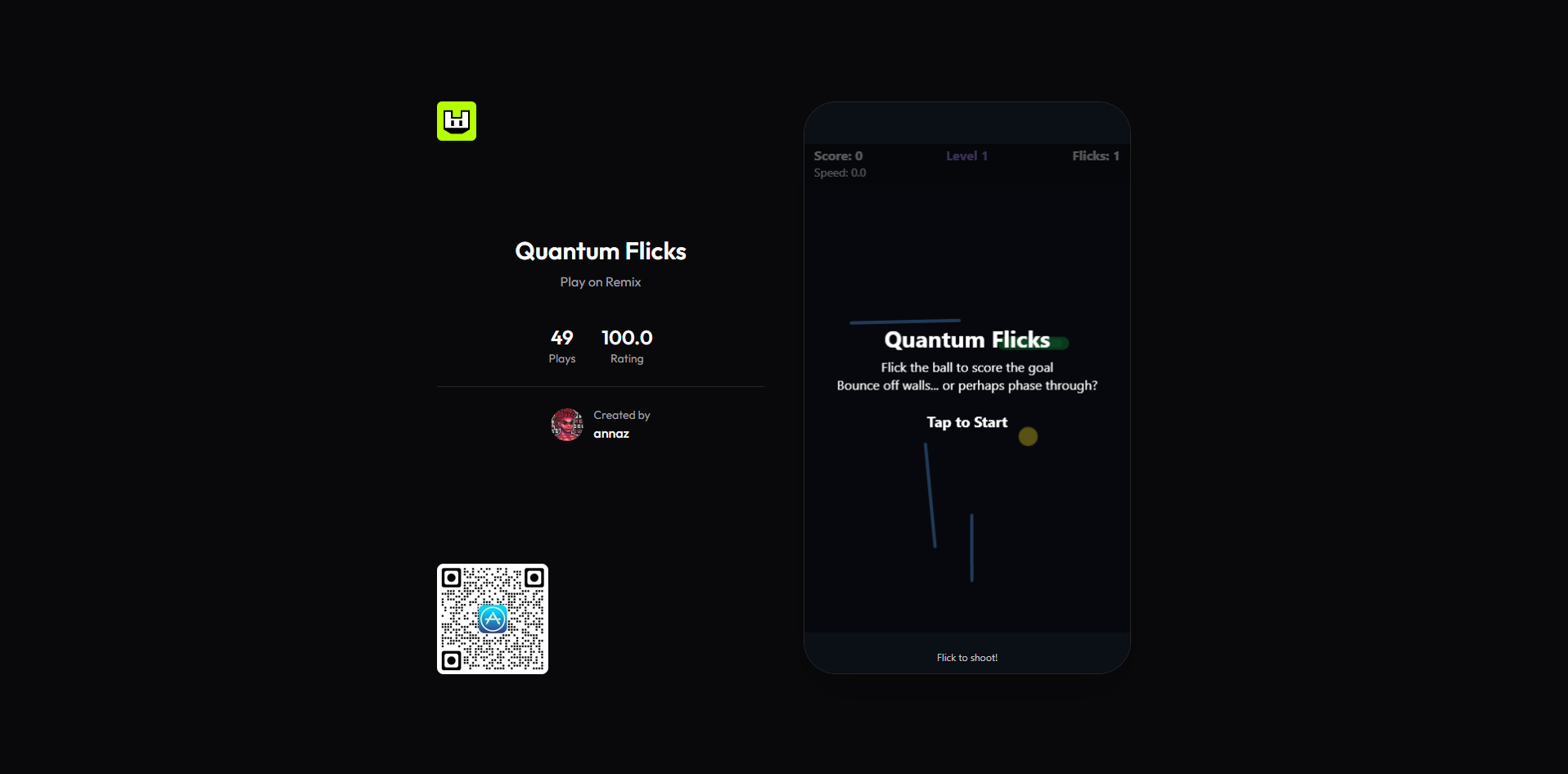
The game I built for Remix is called Quantum Flicks. Try the game in the link below:


At its core, it’s intentionally simple:
- You flick a ball toward a goal
- Each level is procedurally randomized
- The more levels you clear, the higher your score
- The goal shrinks as level increases
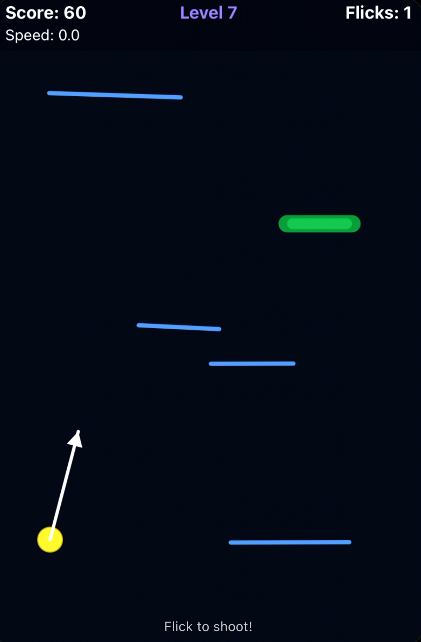
The twist and the reason the game stands out is a mechanic inspired by quantum tunneling (and yes, DC's Flash comics definitely contributed to this). I requested AI to add this feature only after the basic game code has been generated.
If the ball reaches a high enough velocity, it can phase through obstacles instead of colliding with them. This introduces an interesting risk–reward layer:
- Play it safe and bounce carefully
- Or flick aggressively and “tunnel” through walls, and probably the goal too
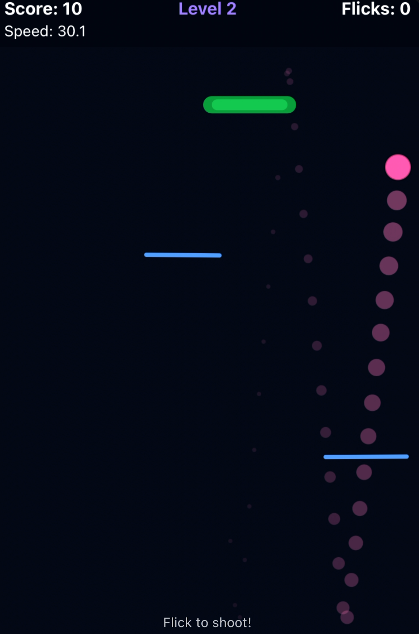
From a design perspective, this single mechanic does most of the heavy lifting. From a development perspective, it was also where AI-generated code needed the most human correction.
Developing a Game on Remix: The 4 Core Stages
Remix structures game development into four clear stages:
- Vibe Code
- Game Details
- Integration Checks
- Submit for Review
This structure is one of Remix’s underrated strengths. It forces you to think beyond just “does the game run?” and toward “is this publishable?”
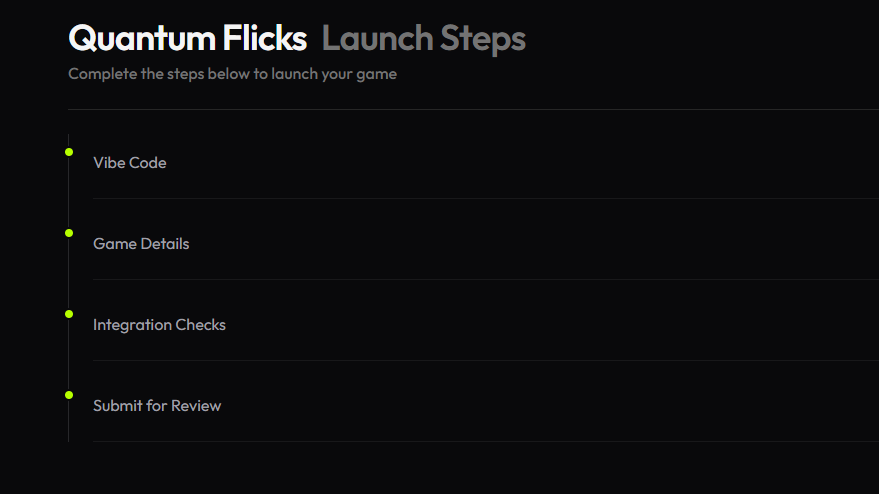
Below is how each stage played out for me.
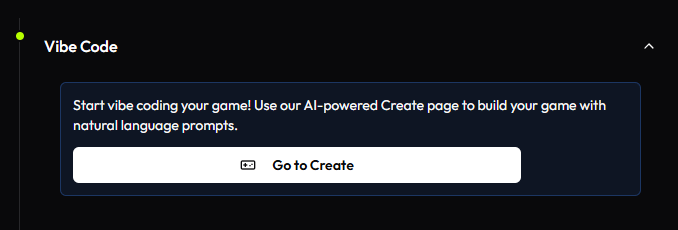
Stage 1: Vibe Code
The Vibe Code stage is where you generate the initial codebase for your game.
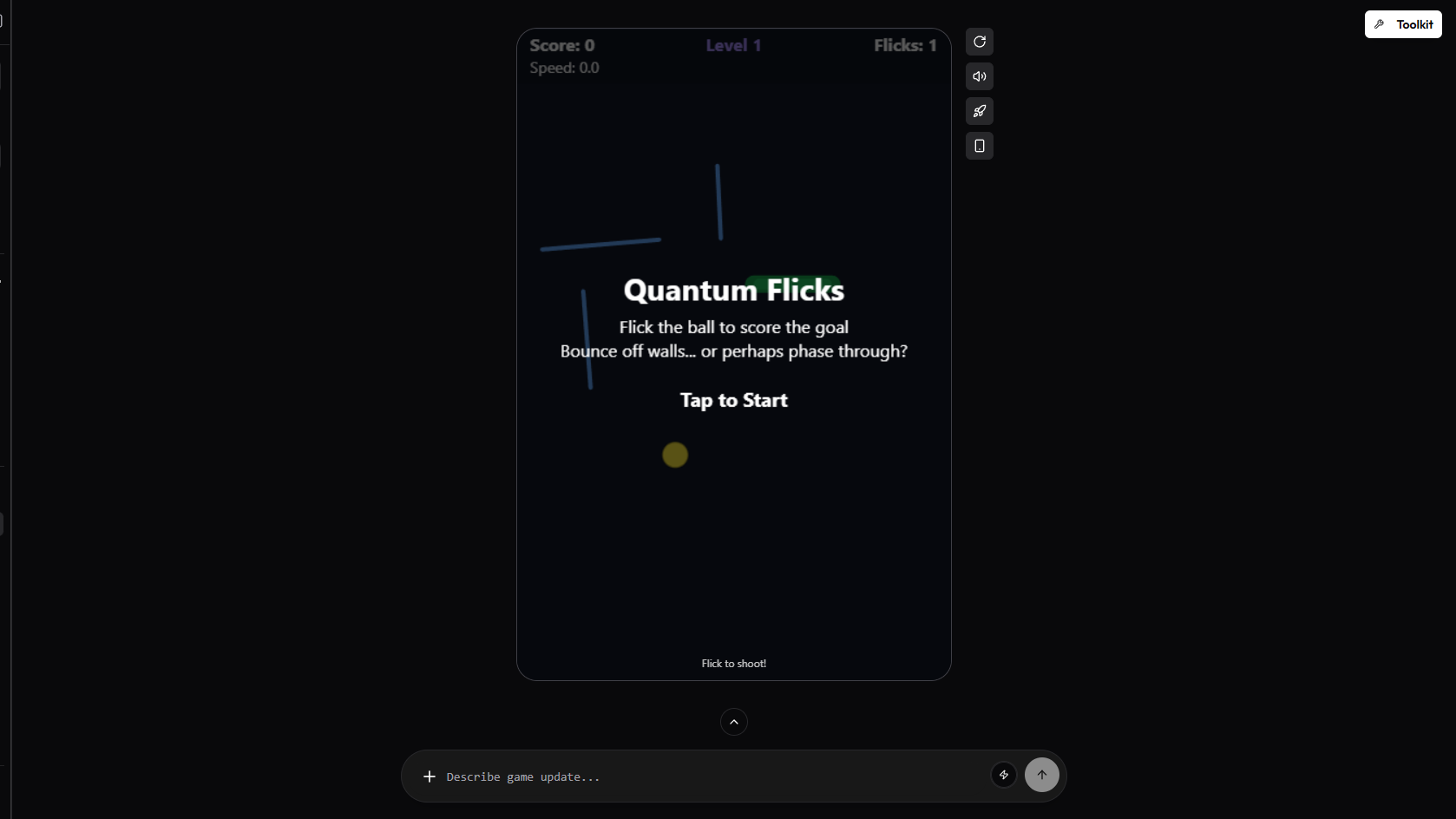
At the 'Create' page, you're introduced to a blank canvas with the space below to input your prompts.
I started with a very straightforward prompt tied to the game jam theme:
- A game in which players need to score the ball into the goal
- Flick-based controls
- Physics-driven ball movement
- Level progression with increasing difficulty (randomized level and shrinking goal size
Within minutes, Remix’s AI generated a playable prototype. That part genuinely feels magical the first time. The AI asked follow-up questions by itself, hoping to get complete information to complete the game loop. It was easy to get a basic game made.
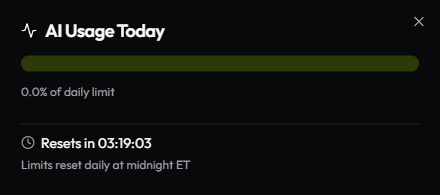
Keep in mind that each user has a specific daily limit on how much AI they use. I'd suggest developing your game incrementally rather than trying to finish everything up in one day, so that you don't burst that limit.
However, the moment I introduced my quantum tunneling mechanic, things got more complex. I needed to make sure my UI/UX supported the game mechanic I wanted players to use.
What Worked Well
Based on my initial prompts, Remix was able to generate this correctly out of the box:
- Basic physics setup
- Input handling
- Level randomization logic
- Detecting velocity thresholds accurately
Where Human Coding Was Required
- Adding UI/UX to show how fast the ball was going
- Changing the UI texts so that players can understand the game better
- Balancing quantum tunneling so it felt intentional, not buggy
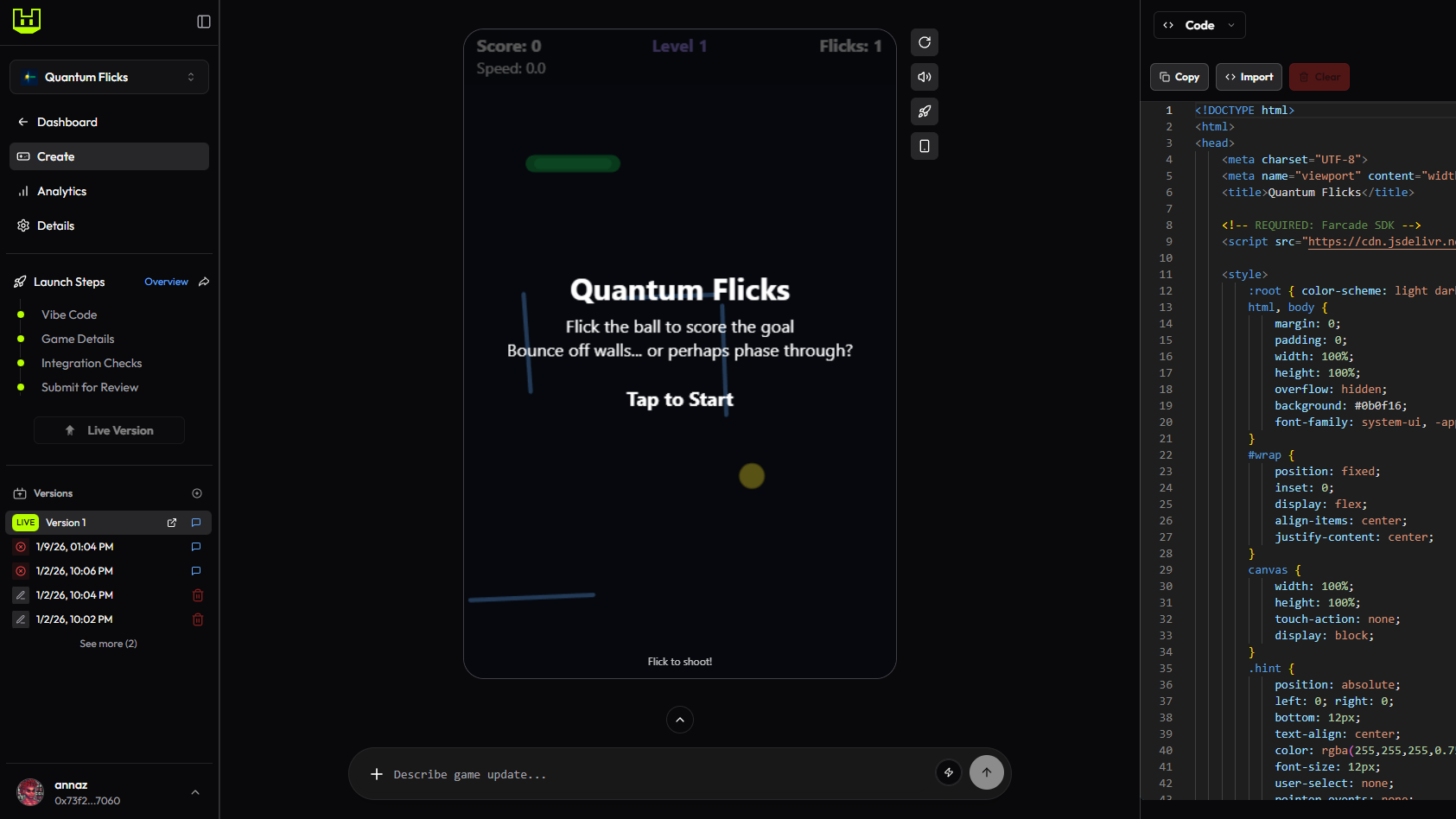
Amending the code is not as hard as you'd imagine. The code is show at the right section of the 'Create' page. As long as you understand the code, you can freely amend and save the changes. Refresh the game each time you've made changes so that you can try it out instantly.
I frequently had to:
- Read through AI-generated code
- Adjust conditional checks
- Manually refactor logic for edge cases
This is where a common misconception breaks down: vibe-coding does not eliminate coding; it prioritizes when and where you code.
Adding Assets
After I was done with the game logic, it was time to add assets to the game. I opted to just use code for the graphics of the game. So I only needed to add Audio files to the game.
Adding files to the game is as simple as drag-and-drop into the Asset section in the 'Create' page. And then I simply copy the name of the asset and tell the AI to integrate this sound during specific events in the game
- when the player flicks the ball
- when the player scores the goal
- when the player loses
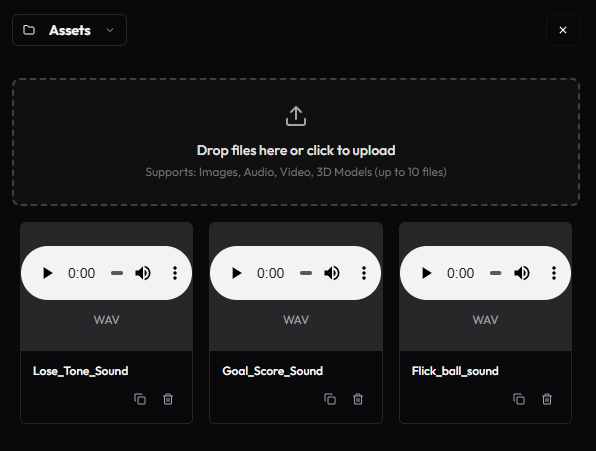
If you need assets to be used in the game or just placeholder assets while you develop, here are some good resources to find them:
- Humble Bundle (there are usually game dev assets on sale here)
- Kenney's Free Game Assets
Adding Store Features
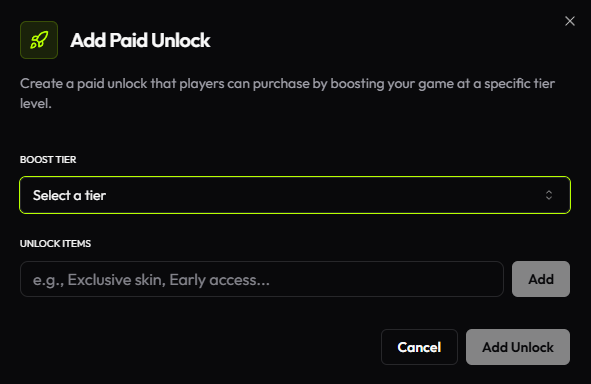
Another additional feature in the game development on Remix is the Store. You can create exclusive rewards, items, or features that players can unlock by boosting your game. It's a method to monetize your game and reward your supporters.
Since this was my first game, paid unlocks weren't in my list of things to add in. Perhaps another time, once I have good ideas on great features or skins I can add in.
Stage 2: Game Details
Once the game works, Remix moves you to Game Details. This stage is deceptively important because it directly affects:
- How your game appears in Remix
- Whether players understand it at a glance
- Click-through and retention
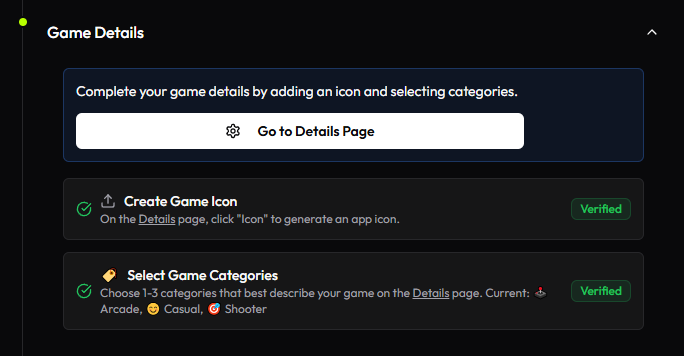
The details required are straightforward to fill up. Here’s what you can configure:
- Game Name
- 'Remixing' option, if you want to enable others to remix your game
- Categories, up to three game genres
- 'Game Jam' entry, if you're submitting the game for any open game jams
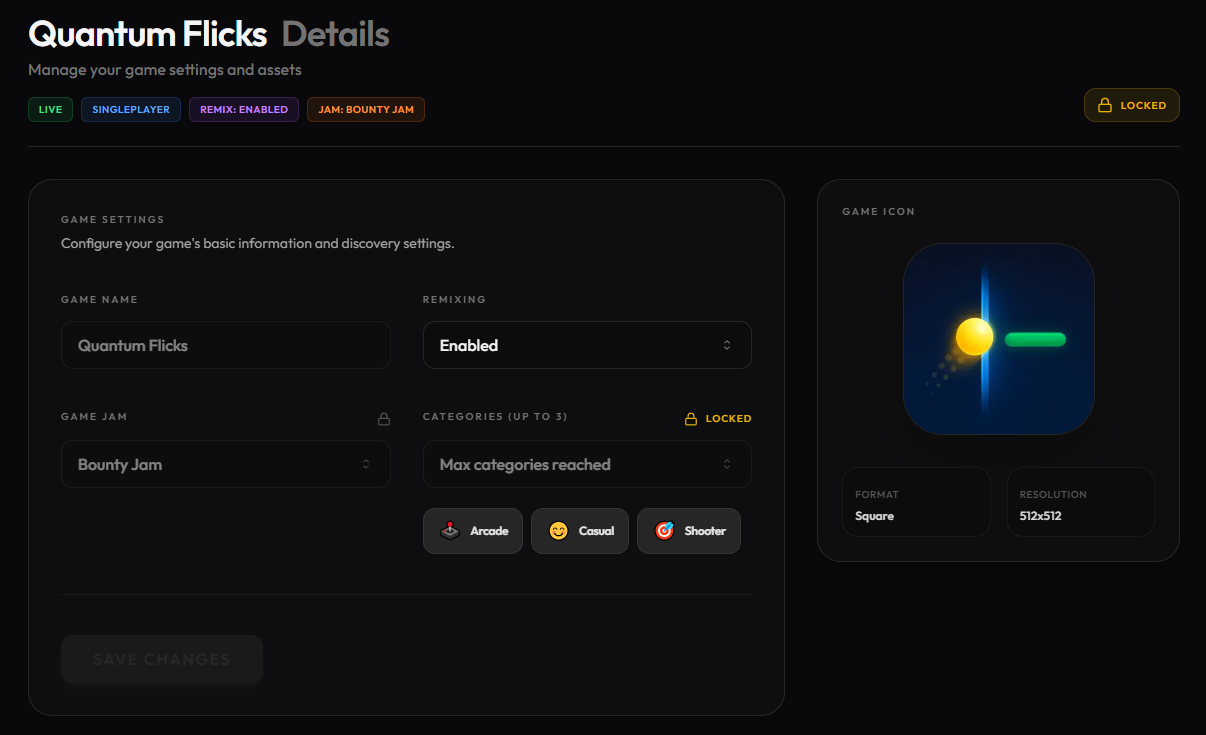
- Game icon
Vibe-Coding a Game Icon
Remix lets you generate a game icon directly using AI.
I used a screenshot from Quantum Flicks as the base image and prompted the AI to stylize it. The results were surprisingly usable, especially for a jam-scale project.

For a game jam, I'd definitely recommend using this feature. But if you have time for a proper game launch, it's a good idea to create your own game art. I suggest using Affinity, the free app for design and photo editing tools.
Stage 3: Integration Checks
This stage ensures your game is properly integrated with the Remix SDK.
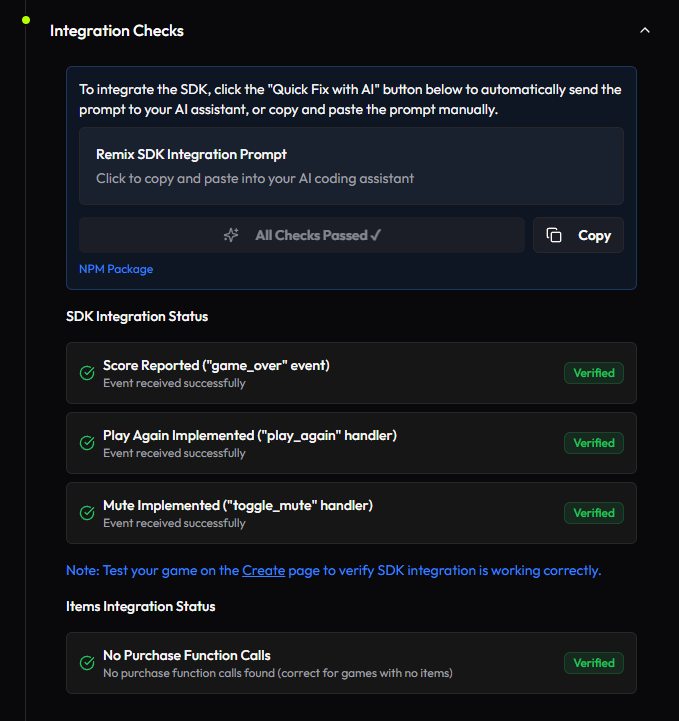
Without this, key platform features won’t work:
- Scoring
- Progression
- Platform-level analytics
The good news:
Remix provides a ready-made AI prompt that asks the model to implement the SDK correctly.
The less-good news:
you still need to test everything.
My Workflow Here
- Copy the Remix SDK integration prompt
- Return to the Create page and input the prompt
- Retest the game thoroughly
- Fix conflicts between my UI and Remix’s SDK UI
Once everything is implemented correctly, Remix shows green checkmarks for each requirement. Treat those checks seriously, they save you time during review.
Stage 4: Submit for Review
Submitting for review is the final step.
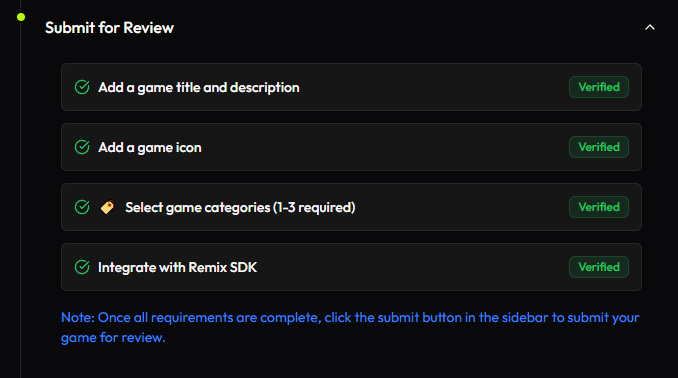
After clicking submit, your game goes through playtesting to catch:
- Game-breaking bugs
- SDK conflicts
- UX issues
In my case, the main issue was self-inflicted: I had layered my own start and game-over screens on top of Remix’s SDK screens.
On my first review, I had a custom background game-over sequence that conflicts with the Remix SDK's game-over sequence.
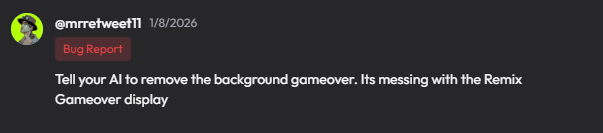
The second review, I had a custom intro that I had to remove.

The review process was smooth. I just had to wait for playtesters to provide comments, which were usually less than 24 hours after submission.
If we did not understand the feedback provided, Remix suggested that we head to their Discord to ask further. It didn't take long for them to respond once a ticket was raised.
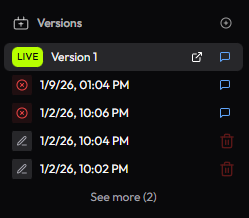
Once you've submitted a version without game-breaking bugs, that version will become Version 1 of the LIVE game.
- Everyone can now try out the game on the Remix App (Quantum Flicks)
- The Analytics page will also now be populated with data on how much the game is played
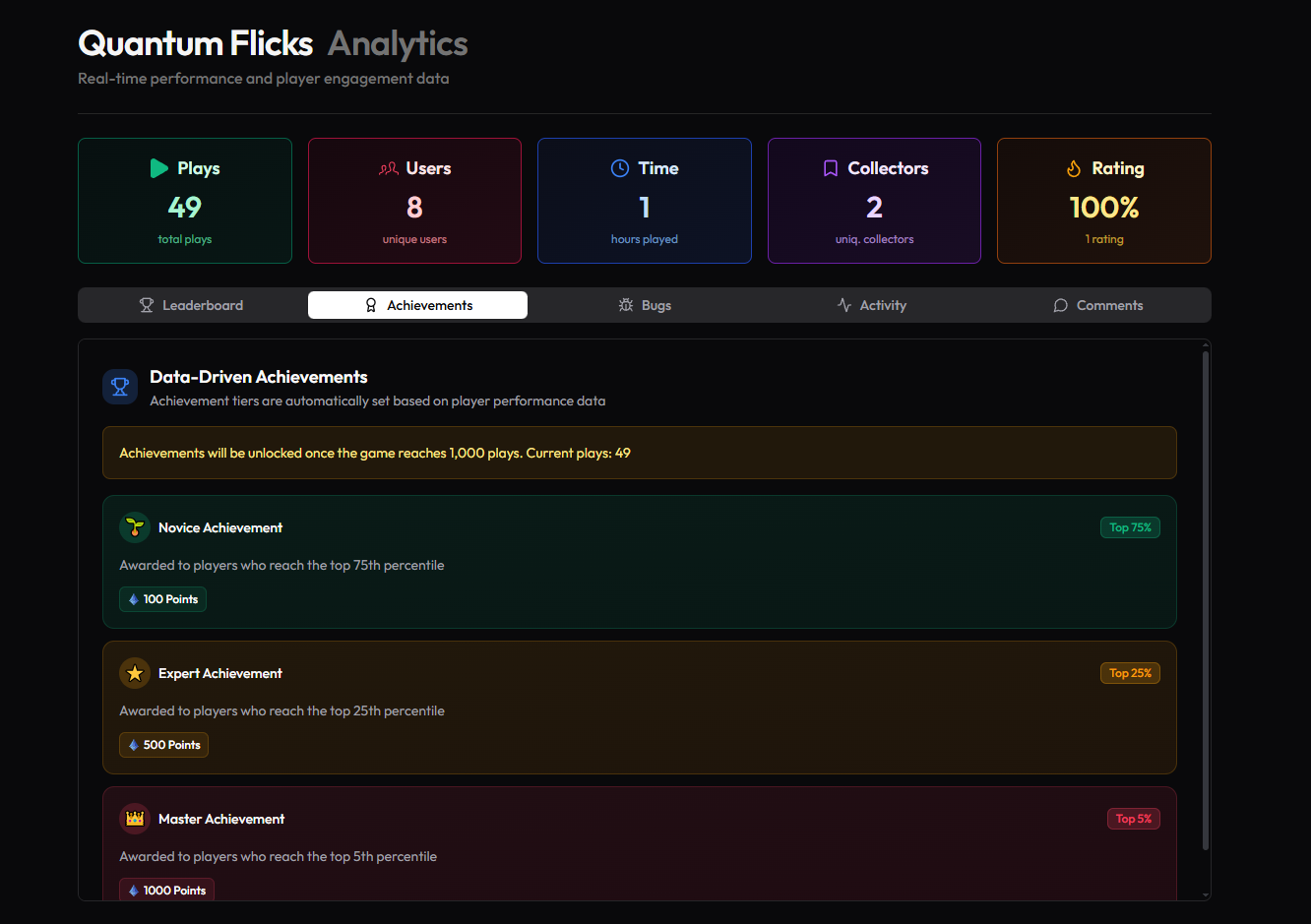
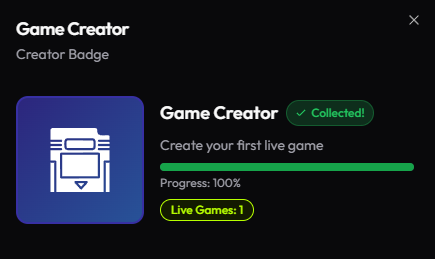
Well Done! Now you've created your first game. You even get an achievement for it.
Advice for Anyone Getting Into Vibe-Coded Game Development
After building and publishing Quantum Flicks, here’s the advice I’d give without sugar-coating it.
1. Learn to Code Anyway
AI helps you move faster, but editing code is unavoidable. Even tiny gameplay changes often require manual intervention.
It was faster for me to edit the minuscule details in the game myself rather than depending on the AI.
2. Unique Game Design Is the Real Differentiator
Now that everyone can generate code, gameplay quality matters more than ever. Mechanics, pacing, and feel still win.
It's a good idea to play more indie games to see how many unique games are out there,
3. Enjoy the Process
Vibe-coding shines when curiosity drives it. If you’re only chasing trends, burnout comes fast.
Passion is your best friend. It'll all be worth it once that game is published.
Should You Try Developing a Vibe-Coded Game on Remix?
If you’re curious about AI-powered game development and want a platform that encourages shipping, Remix is a strong place to start.
Based on my experience, Remix sits in an interesting middle ground.
✅ Extremely fast prototyping
✅ Clear publishing pipeline
✅ AI assistance that’s actually contextual
✅ Low barrier to entry for solo devs
❌ You still need real coding knowledge
❌ AI output can be fragile at scale
❌ Advanced mechanics require manual tuning
If your goal is to learn, experiment, or ship small-to-mid scope games, Remix is absolutely worth trying. If you expect AI to replace design thinking, it won’t.
If you’re interested in more experiments like this, keep an eye on AnnazPlays. I’ll be documenting more AI and game development explorations soon.
Other games on Remix:
 Annaz
Annaz
 Annaz
Annaz

Comments ()